How to install custom PEAR modules on 1and1.com and other shared servers

1and1.com, as I said before, is a great host. Their support may not be able to tell you how to do everything you want to do, but for the most part, they give you full access. If they offer a Free server for three years deal again, snatch it up. You’ll save loads of money and may be offered an upgrade to a professional server for half price as I was.

A couple weeks ago, I told Michael (who paired with Angela has done some neat stuff – I’m gonna have to free up an hour to just browse through their site and listen to the Taiwanese Education Ministry stuff they have there and at http://metroministries.org/ ) that I would post a walk through of installing custom modules for PHP PEAR. PEAR is “custom framework for PHP Components”. In otherwords, PEAR is a HUGE common library of PHP code that will give you access to a wealth of resources you don’t have in the standard installs of PHP. If you want to do something easy or complex, there’s a good chance that there is a pear module that will help you out. Whether it is simply getting the date of a certain holiday, caching a news feed, rotating 3d objects for your visitors, streaming data to them or any of a large number of other tasks, chances are, there is a PEAR module that can give you a head start on your project. Here, take a look: http://pear.php.net/packages.php

Obviously, not all of those modules are installed under the default 1and1 PEAR account and there might be one there that you want but is not available by default. This article tells you how to get one of those modules installed. Fortunately, it’s not that complicated. Really the trick to installing custom PEAR modules at 1 and 1 is as simple as knowing how they are classifed in the PEAR documentation. See 1and1 has PEAR installed, but it is locked down so that you can’t break anything for all of the people that share your webserver. PEAR has planned for this and allows you to install a custom configuration for your particular webserver. This PEAR configuration will be the default for ALL of the server’s you host and will not affect anyone elses. PEAR calls that a “SHARED HOST” and once you have that term, you can follow the documentation here: http://pear.php.net/manual/en/installation.shared.php.

To customize all of that for 1and1, you have to put it in their directory structure. The 1and1 directory structure has two seperat number. First a two (or now maybe three) digit number which indicates the server or server farm you belong to (that’s a guess, but I think it makes sense). The second indicates your contract ID. This is not to be confused with your user ID which is the number that is shared by all of your email addresses and ftp logins. So, the directory structure looks something like this:
/kunden/homepages/10/d55555555/htdocs/ where 10 is the number I am guessing is the server farm and d55555555 is your contract ID. If you keep this in mind when reading through the document, you’ll be able to figure most of it out.

I don’t have time for the full blow by blow walk through with screenshots that I usually do, but hopefully, a quick run through will be all you need and then you can ask any questions you might have in the comments.

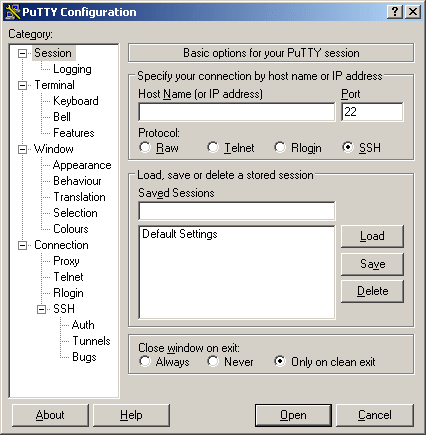
So your first task is to get putty.

That’s this PuTTY:
Not this putty:

Just download it from here: http://www.chiark.greenend.org.uk/~sgtatham/putty/ and install.

Setup an account to log into your site. It is straight forward, if you have difficulties. Please take a break and read the help docs on it and decided if you really want to take on custom pear modules without further reading and studying. Perhaps there is an easier way to do what you want to do.

Once you have putty installed (BTW does anyone have XWindows working through PuTTY for 1and1.com yet? I’ve wanted to try it but haven’t had the time yet…) login using your user number and main password (u35555555 or something like that not your contract ID)

Once you are logged you’ll be at a prompt that looks like this:
u35555555:~ >

Now ask pear what it’s current configuration is:
u35555555:~ > pear config-show

You’ll see that everything (Bin_dir, doc_dir and etc) is using common directory. That’s probably something like this: /usr/local/bin/php

What you need to do is create a custom config file into which you can install all of the modules you use but are not provided by default. In this case, we will be installing the HTTP_Request extension so that we can do some custom page grabbing and XSF attacks (JUST KIDDING!!!).

So, the first thing to do is create the config file in your root directory:
u35555555:~ > pear config-create /homepages/10/d55555555/htdocs/ .pearrc

Now tell the common pear module to create a copy of its directory structure for you to use…
u35555555:~ > pear install -o PEAR

Would you like to see what we’ve done?
Just type:
u35555555:~ > cat .pearrc
You’ll get something that looks like this:
#PEAR_Config 0.9
a:7:{s:7:”php_dir”;s:39:”/homepages/10/d55555555/htdocs/pear/php”;s:8:”data_dir”;s:40:”
/homepages/10/d55555555/htdocs/pear/data”;s:7:”ext_dir”;s:39:”/homepages/10/d5555555
5/htdocs/pear/ext”;s:7:”doc_dir”;s:40:”/homepages/10/d55555555/htdocs/pear/docs”;s:8:”t
est_dir”;s:41:”/homepages/10/d55555555/htdocs/pear/tests”;s:9:”cache_dir”;s:41:”/homepa
ges/10/d55555555/htdocs/pear/cache”;s:7:”bin_dir”;s:35:”/homepages/10/d55555555/htdoc
s/pear”;}

And that’s pretty much it! You’re installed. You can, if you want, see if a specific module is installed with a command like:
u35555555:~ > pear list-files HTTP
or
u35555555:~ > pear search HTTP_Request

You can try to install things:
u35555555:~ > pear install HTTP_Request

But you may find that other modules are required. So you must install them too
u35555555:~ > pear install Net_URL

However, the EASIEST thing to do is to have PEAR install all fo the modules you need automatically with the –alldependency swithc
u35555555:~ > pear install HTTP_Request –alldeps

That’s it! Your all installed.

Here is one final helpful command: config-show. If you (and I) did everything right, you should get something like the following:

u35555555:~ > pear config-show
Configuration (channel pear.php.net):
=====================================
Auto-discover new Channels auto_discover
Default Channel default_channel pear.php.net
HTTP Proxy Server Address http_proxy
PEAR server [DEPRECATED] master_server pear.php.net
Default Channel Mirror preferred_mirror pear.php.net
Remote Configuration File remote_config
PEAR executables directory bin_dir /homepages/10/d55555555/htdocs/pear
PEAR documentation directory doc_dir /homepages/10/d55555555/htdocs/pear/docs
PHP extension directory ext_dir /homepages/10/d55555555/htdocs/pear/ext
PEAR directory php_dir /homepages/10/d55555555/htdocs/pear/php
PEAR Installer cache directory cache_dir /homepages/10/d55555555/htdocs/pear/cache
PEAR data directory data_dir /homepages/10/d55555555/htdocs/pear/data
PHP CLI/CGI binary php_bin /usr/local/bin/php
PEAR test directory test_dir /homepages/10/d55555555/htdocs/pear/tests
Cache TimeToLive cache_ttl 3600
Preferred Package State preferred_state stable
Unix file mask umask 22
Debug Log Level verbose 1
PEAR password (for password
maintainers)
Signature Handling Program sig_bin /usr/bin/gpg
Signature Key Directory sig_keydir /usr/local/etc/pearkeys
Signature Key Id sig_keyid
Package Signature Type sig_type gpg
PEAR username (for username
maintainers)
User Configuration File Filename /kunden/homepages/10/d55555555/htdocs/.pearrc
System Configuration File Filename /usr/local/etc/pear.conf


(Please let me know if this post works for you or if there are mistakes I need to corred. This was all recovered from the bash log, so I could have miss read a step along the way – Thanks! Brian.)


WP-Post Contract Form

Updated to version 0.2 – Please download again.

Well, I’ve written my second WordPress Plugin. Well – Not really. This was more of a hack…

See Ryan Duff has a plugin that allows a person to dynamically insert contact forms into any post or page. And Podz needed a version of it that he was customized for a free WordPress installation project that’s being created. He’s got a prototype running but he wanted a unique key to be generated for each user.

You can see the request on the WP Hackers archive.

The download of my plug in is here: here.

Things I’ve changed:

0.2 REQUIRED UPDATE
Fixed the MD5. The website was not being included in the hash…
It now uses $wpcontract_website instead of email too. Then the same email contact can be used for multiple websites.
Removed the CSS styles that were incompatible with my theme (and probably others). The are renamed and can be put back in easily.
Added carraige returns to the email where needed.
Made the whole thing WC3 compliant:
http://validator.w3.org/check?uri=http%3A%2F%2Fwww.thecodecave.com%2F%3Fp%3D133&charset=%28detect+automatically%29&doctype=Inline
0.1 Initial version
Automatically sends the email to the destination AND the user, reversing the From and To.
Required the website to be filled in.
Added a terms field that is customizable.
Added a customizable “I agree” line
Added a checkbox and verified it is filled out in the end.
I did not bother creating a legit POT file for language localization
Generated a unique ID for the contract.

Here’s a live demo of the result. I’ve since begun to wonder if the CSS alignment is specific to my blog as other blogs did not seem to have the alignment issues with the original plug in that I did. Well that’s easily fixed in anycase.

Safely using the Preview Pane in Outlook.

You CAN have the preview pane active in Microsoft Outlook without auto invoking all of the HTML spam you get.

To do this, just make a folder in your inbox that has the preview pane turned off. Then when HTML mail arrives, move it into that folder. You can also turn onthe auto-preview line that shows the first three text line for the email. This really helps cut down the spam that include refences to websites. That kind of email usually has your email address embedded in it (in code) so that the spammer can just tell when it has reached a live destination. Use this method for a few months and your name will drop off many of the spam lists.

To move only the HTML based email over to the ‘Suspect’ folder, create a rule that looks like this (leave a comment if you want more details than what is shown here):

Apply this rule after the message arrives
through the YOURACCOUNT@HERE.COM account
  and with ‘multipart/alternative’ or ‘multipart/related’ in the message header
move it to the SOME FOLDER WITH PREVIEW PANE TURNED OFF HERE folder
  and stop processing more rules

Resizing JPEGS in Delphi to create Thumbnails for posting to the web

I thought I might post this example… It works really well with the Light box java script plugin for WordPress… It is a single file (DPR) Delphi console app that can be used in a batch file to resize jpegs to any percentage of the original size.

I use it with ZTree by tagging all of the JPegs I wish to resize and then hitting CTRL B. Ctrl B will create a batch file out of all of the tagged files with the command line that I enter. So the command line I use is “ResizeJPeg %4.%5” and 10 seconds later, I have a large set of images and thumbnails I can post to the web.

BTW I use net drive to make drive X: be a my FTP directory. NetDrive is WONDERFUL!!! I dare say it is ALMOST as useful as ZTree…. Almost….

For those who have no care to be interested in compiling Delphi Source code, here is the EXE: ResizeJPEG.exe

[delphi]
// ****************************************************************************
// ResizeJPEG.DPR 01/Jul/2004
// Written by Brian Layman (AKA Capt. Queeg)
// Visit him at http://www.TheCodeCave.com
//
// This routine was written to help resize jpegs for posting to the web
//
//
// Warning: This routine opens your images and replaces files without
// warnings. It is not ever supposed to edit your original image, but
// if something unexpected happens, you could lose some important images.
// Understand every line of this example before you run it. Or better yet,
// do not run this example at all. You should stop right now and erase the
// files. For if it causes blue smoke to be emitted from your network card,
// if it erases all users from your computer, or if it makes your sister
// break up with her lawyer boyfriend and start dating a caver, it is
// not my fault. (Actually that last one might be an improvement, but
// it is still not my fault.) But the fact of the manner is, anything
// could happen when you mess with the registry and this example IS,
// in all seriousness, dangerous.
//
// Usage: ResizeJPEG.exe JPGNAME.JPG <-- Resizes the image to 10% of original // ResizeJPEG.exe JPEGNAME 50 <-- Resizes the image to 50% of original // // License - If this helps you - Great! Use it, modify it share it. // // Donations - If this project really helps you out, feel free to make a $5 // (US) token donation via Paypal to Brian@TheCodeCave.com or just leave a // comment on my blog and include your country of origin. // // History: // 01/Jul/2004 - BL - Created // // **************************************************************************** program ResizeJPEG; uses ExceptionLog, Forms, Classes, JPEG, Graphics, SysUtils; {$R *.RES} {****************************************************************************** DoResize This routine receives two JPEGs and the percentage (as a whole number) of the original size. It only does aspect ratio resizing. The creation and freeing of the JPEGs must be done outside this routine. srcJPEG must contain an image. destJPEG's contents will be overwritten. Passing a zero or negative percentage will ******************************************************************************} procedure DoResize(srcJPEG, destJPEG: TJPEGImage; const Pct: Integer; BMPName: String = ''); var Bitmap: TBitmap; begin // DoResize if (not(Assigned(srcJPEG) and Assigned(destJPEG))) then raise Exception.Create('There has been a programming error. ' + 'The JPEG parameters passed to DoResize have not ' + 'been initialized.'); // Error out if we don't have a valid source image if (srcJPEG.Empty) then raise Exception.Create('The parameters passed cannot produce a valid image. ' + 'The source image is blank.'); // Error out if we don't have a valid source image if (Pct <= 0) then raise Exception.Create('The parameters passed cannot produce a valid image. ' + 'The percentage (' + IntToStr(Pct) + '%) is invalid.'); Bitmap := TBitmap.Create; try Bitmap.Width := Trunc(srcJPEG.Width * (PCT/100)); Bitmap.Height := Trunc(srcJPEG.Height * (PCT/100)); Bitmap.Canvas.StretchDraw(Bitmap.Canvas.ClipRect, srcJPEG); destJPEG.Assign(Bitmap); if (BMPName <> ”)
then Bitmap.SaveToFile(BMPName);
finally
Bitmap.Free;
end;
end; // DoResize

var
JPEGOrig, JPEGTemp: TJPEGImage;
ImgName, imgExt: String;
Percentage: Integer;
CreateBMP: Boolean;
begin
Application.Initialize;
// Retreive first parameter and strip off any path info.
// That’s the file name. This now includes the extension.
ImgName := LowerCase(ExtractFileName(ParamStr(1)));

// Determine the extension
ImgExt := ExtractFileExt(ImgName);

// If there is an extension, remove it from the file name.
// If there is no extension, assume ‘.jpg’ for now.
if (ImgExt <> ”)
then ImgName := copy(ImgName, 1, Length(ImgName) – Length(ImgExt))
else ImgExt := ‘.jpg’;

// The third parameter is for the percentage of change.
// If not provided, it defaults to 10%
Percentage := StrToIntDef(ParamStr(2), 10);

CreateBMP := Boolean(StrToIntDef(ParamStr(3), 0));

// This if statement both verifies that the file is there and that it now has
// a .jpg or .jpeg extension. If these conditions are not met, the program
// exits without an error.
if (FileExists(ImgName + ImgExt) and ((ImgExt = ‘.jpg’) or (ImgExt = ‘.jpeg’)))
then begin
// Create the object for manipulating the new image
JPEGTemp := TJPEGImage.Create;
try
// Create the object for storing the original image
JPEGOrig := TJPEGImage.Create;
try
// Load the original
JPEGOrig.LoadFromFile(ImgName + ImgExt);

// Call the subroutine for resizing the original and putting it in the
// temporary object.
if (CreateBMP)
then DoResize( JPEGOrig, JPEGTemp, Percentage, ImgName + ‘_s.bmp’)
else DoResize( JPEGOrig, JPEGTemp, Percentage);

// Save the new image with a “_s” tacked onto the file name.
JPEGTemp.SaveToFile(ImgName + ‘_s’ + ImgExt);
finally // try around JPEGOrig usage
// Free the original object
JPEGOrig.Free;
end; // try around JPEGOrig usage
finally // try around JPEGTemp usage
// Free the new/temp object
JPEGTemp.Free;
end; // try around JPEGTemp usage
end; // if fileexists
end.[/delphi]

Mountain Bike

Monday nights are my nights off. I can go wherever I want. Unfortunately that often doesn’t amount to much. But this week it actually meant getting outside and having some fun.

I finally got to go ride the West Branch State Park Mountain Bike Trail. It was a blast even if I am not quite up to that skill level yet.

All winter long it is maintained by CAMBA – the Cleveland Area Mountain Bike Association.
Cleveland Area Mountain Bike Association

They put in bridges and other challenges along the trail. I even met two of the officers that night, Brian Lennon, president, and Mike Ryba, Treasurer. Unfortunately I can’t remember the names of the other people they were riding with, not even the one from Puerto Rico, but they were all really nice people. All winter long their members maintain the trails.

I tried out the camera on my new phone and got some quarter decent shots (they definately weren’t half decent) while it was still light. However, the exposure time must be really high when it gets dim. You can see that as the envening goes on, the shots get blurier. When taking pictures in twilight with the phone, I will have to stabalize it. Holding it by hand just isn’t sufficient (plus chances are mid-workout I wasn’t all that stable anyway…)

The trail followed along the resevoir and was beautiful with the sun setting... Some bridges offered alternate easy routes.  My helmet had not made this trip, so I was conservative on this one... A stone bump trail to make life interesting... too blurry to make out though...

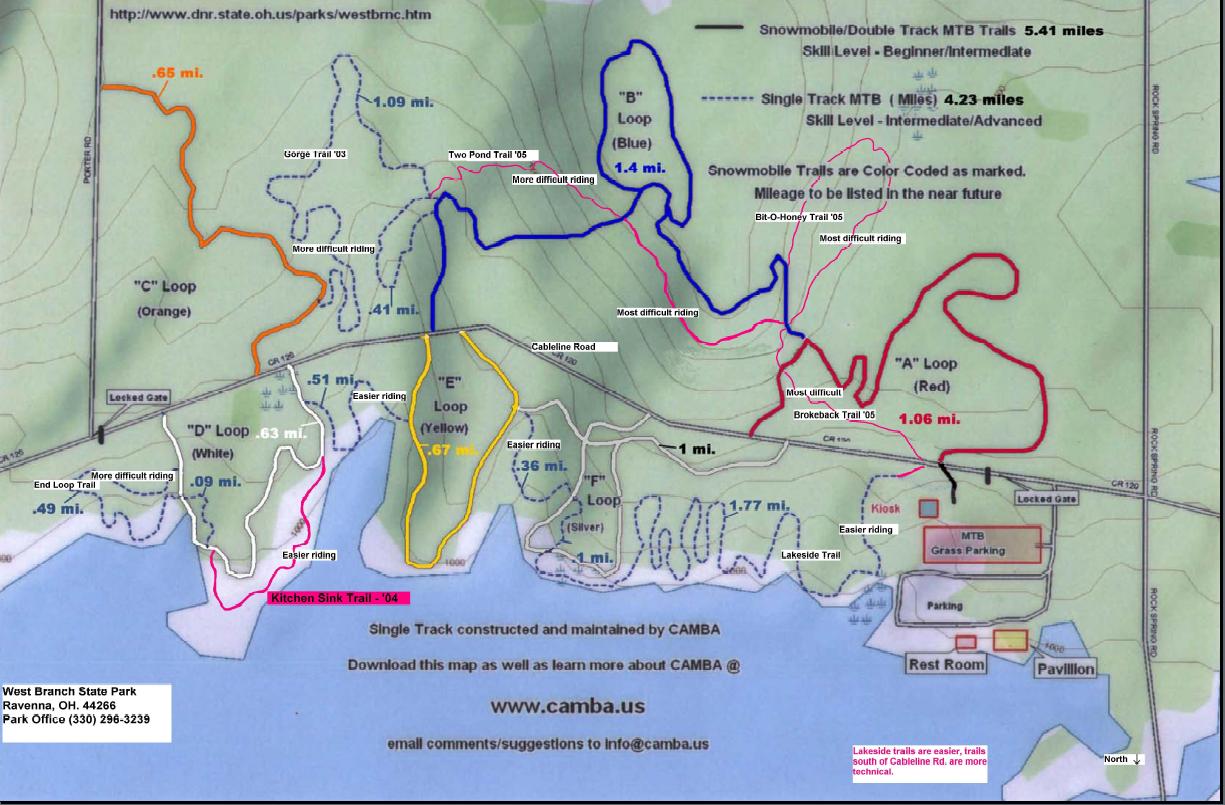
The CAMBA web site has a great map of the park, but it’s a 2.5mb 1 page PDF. I mananged to convert it to a 45K JPEG that hasn’t lost much detail. This is a little handier to keep on PDAs and what not…
The blue dotted trail is the one I followed...

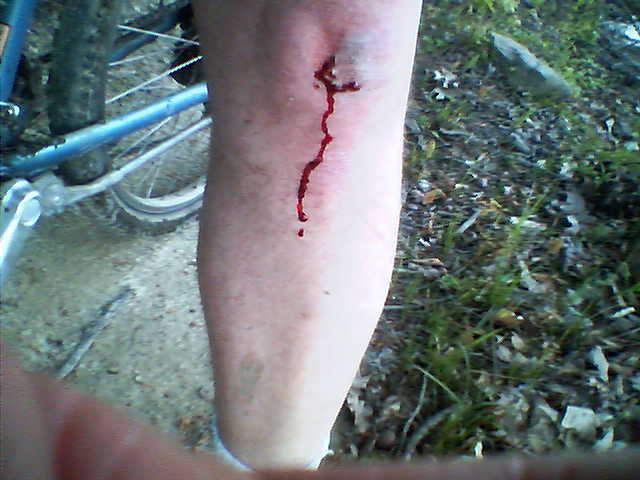
I even got myself a couple of badges… This all was mostly from one very tall root near the beginning of the trail. It was an up hill section that I’d started in the wrong gear and the root required about a foot worth of travel to get up and over it, though the root itself was probably just under 6 inches high. Anyway, I decided to push it and try it anyway. The result was I was slumped against the tree with only my front wheel making it over. The scrape was from sliding backwards down the bark as I got my footing…(Kneeing actually I guess)

I'm proud of this one! This one is just annoying...

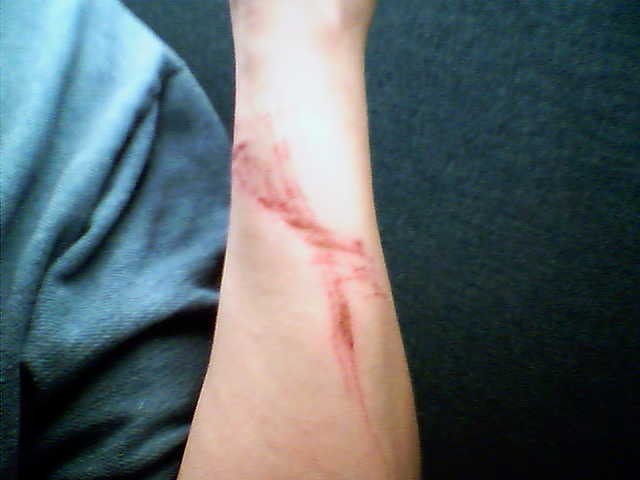
I’m proud of the skinned knee… I probably haven’t skinned my knee falling from a bicycle in 20 years… Boy that makes me sound old…. Anyway, it meant I was pushing limits again, which is what living is all about and when you stop doing that, that’s in large part why people grow old… I had a few more bumps and bruises. For instance my right arm is scraped simply because there wasn’t enough room for me to get through between the trees that were there… All part of the fun and I’m smilin’ as I type…

Cycle Man

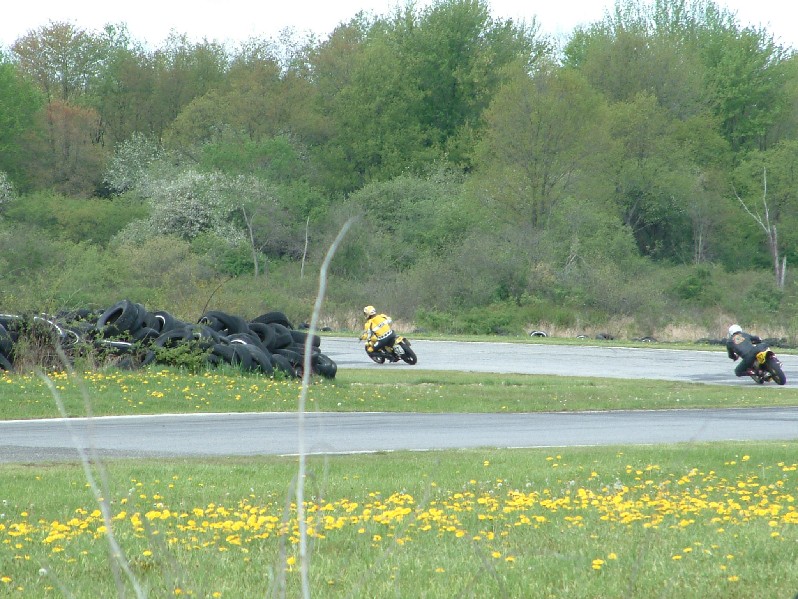
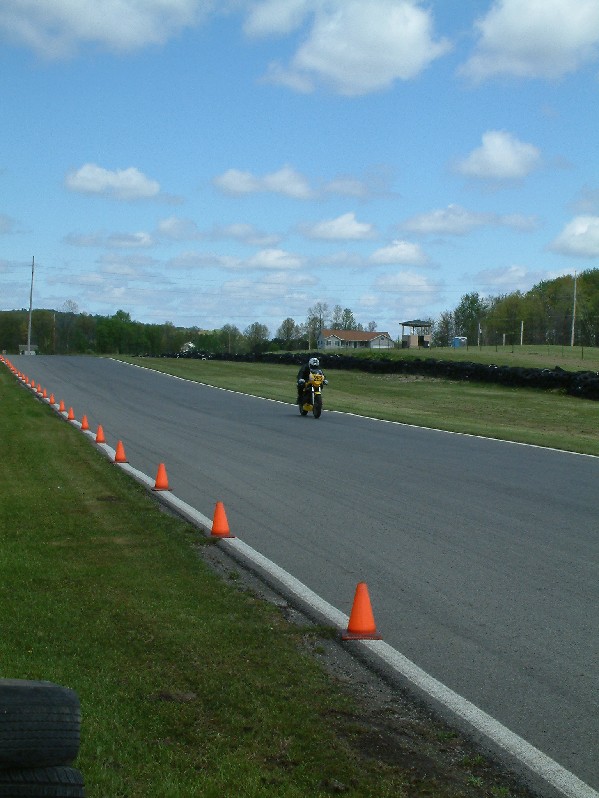
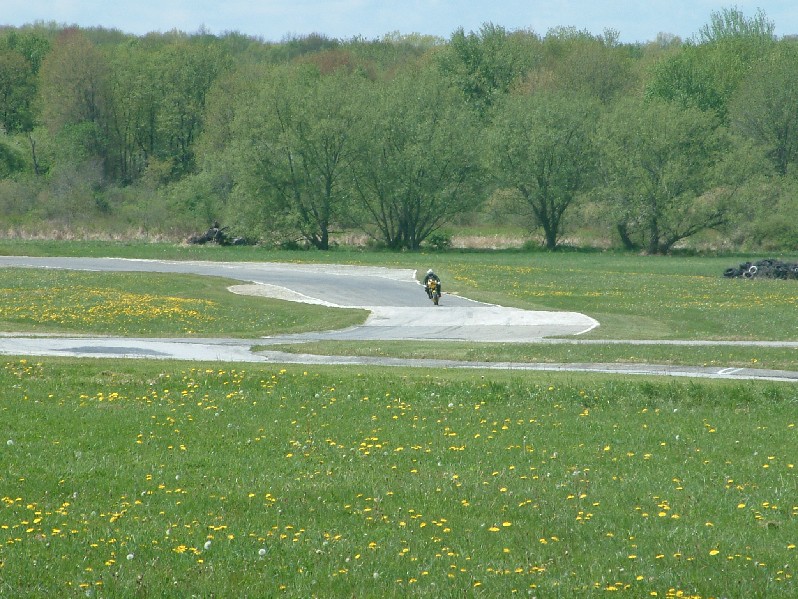
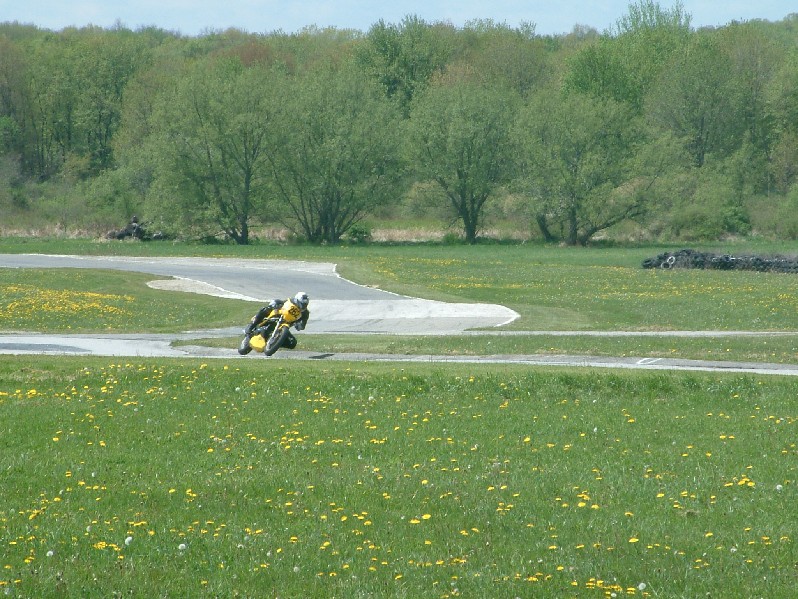
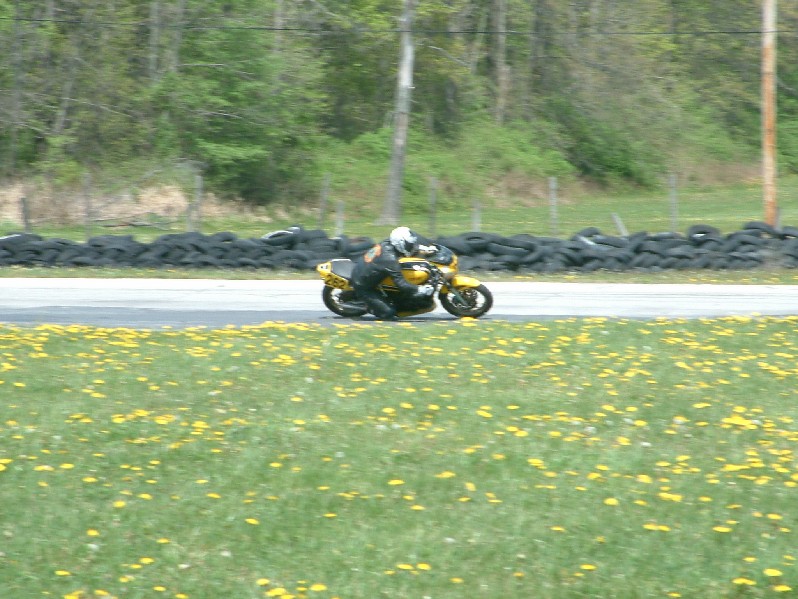
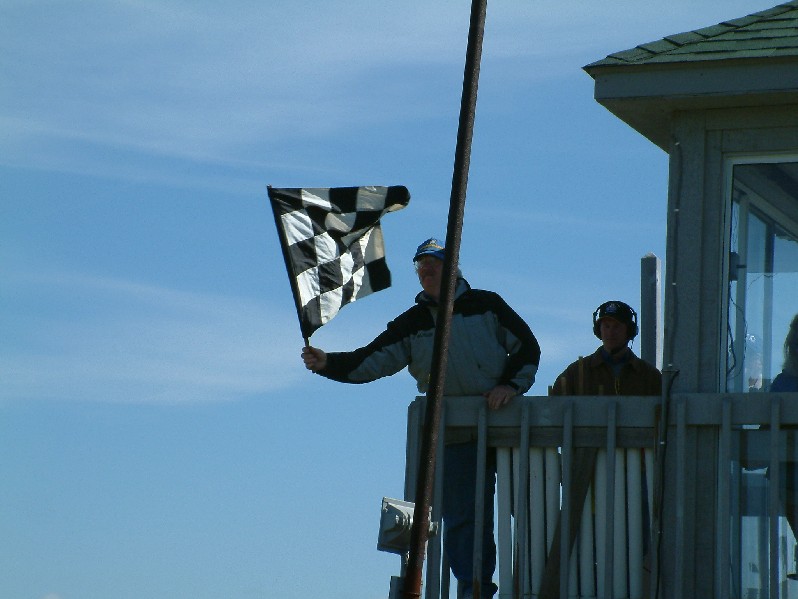
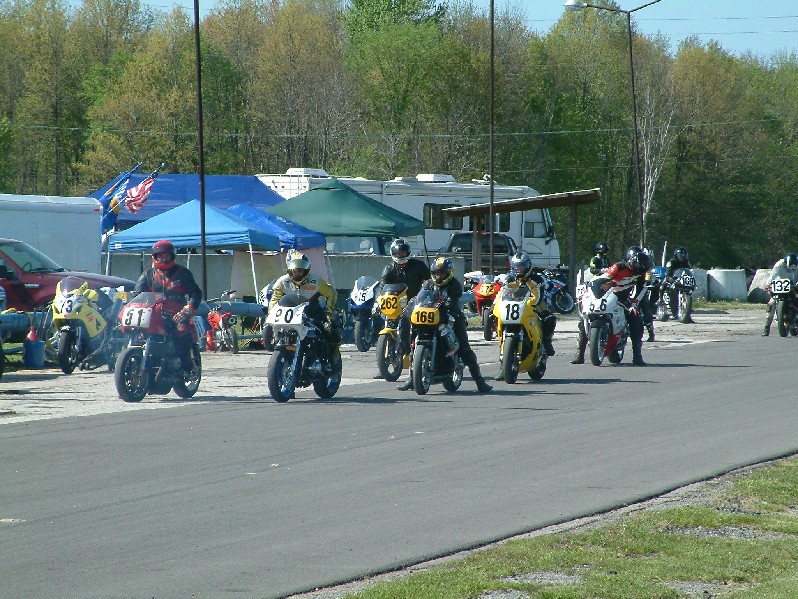
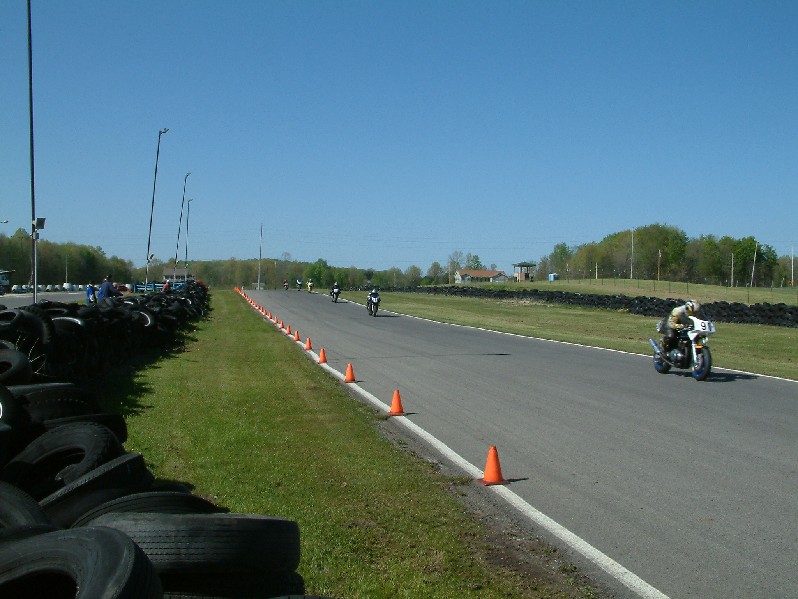
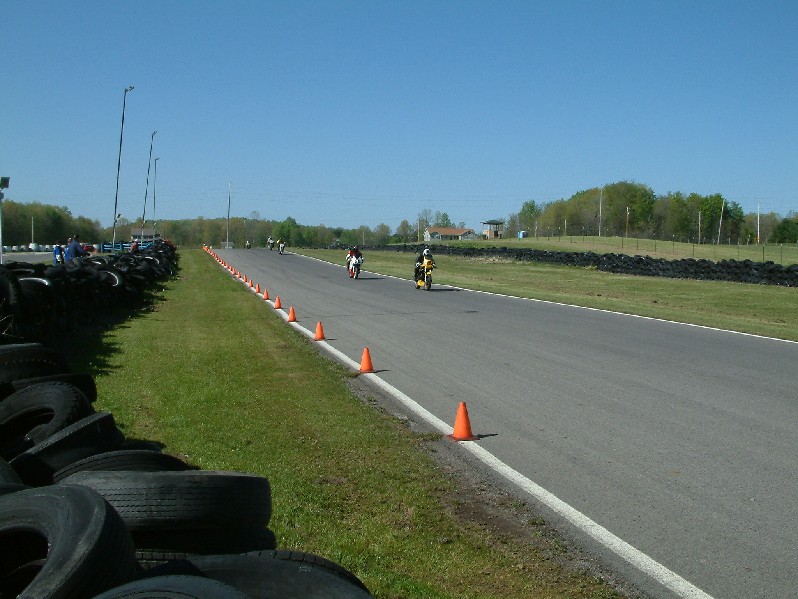
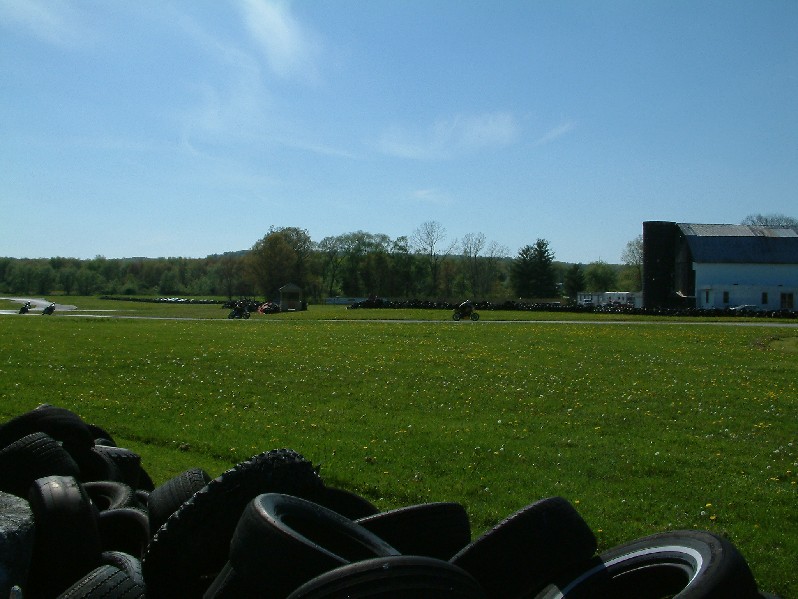
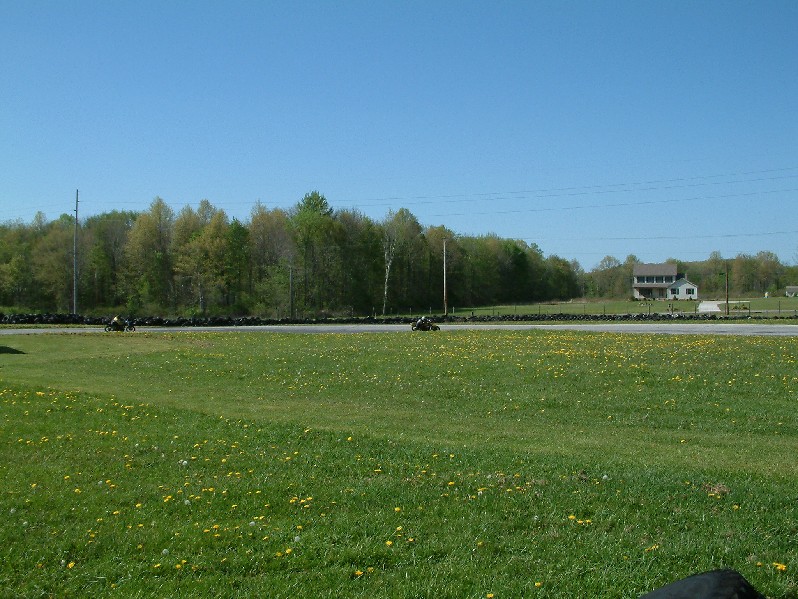
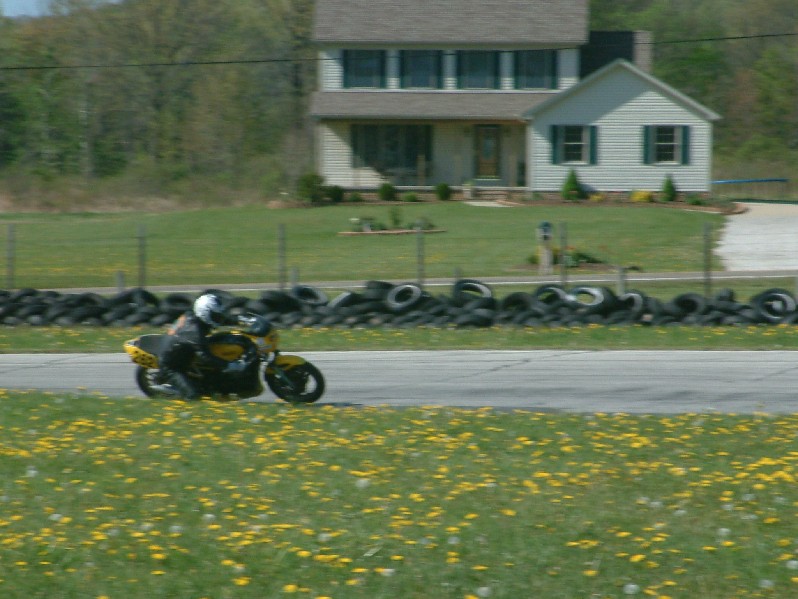
I had a wonderfully fun weekend. I was pit crew for my friend Tom Moyer. He came up to race and the Nelson Ledges racetrack. It’s a nice track but VERY bumpy. We had to do some structural reenforcement of his tachometer and fairing, but it went really well. He reported that turn 7 was interesting because of the washboard right before it. He said he hit that washboard at speed and thought he’d be dead when the corner came. But then it smoothed out.

My jobs were to help get the bike fueled with premix – measure the tire temp before and after the races to make sure the tires were heating up enough to be sticky during those corners and not so much that he’s flinging chunks of rubber all over the track.

Other than the cold weather combined with the sunburn, it was a very good day. BTW, Tom’s the yellow Yamaha RZ350 #262. It’s a two stroke and a blast to ride… (Yes, I speak from experience 🙂 )

Here’s a couple videos:
Movie 1
Movie 2

Learn more: Tom races in the Mid-Atlantic Roadracing Club

Images:


And Tom certainly had some admirers at our house afterwards. He’s the apple of Caleb’s eye at the moment…

“CycleMan!”

What is the 1033 directory or the 0409 folder?

Directories with one or more of these numbers probably litter your hard drive. Microsoft Office has them all over the place (C:\Program Files\Microsoft Office\Office10\1033). If you have installed the Plus pack, you will have a your theme files in C:\WINDOWS\Resources\1033. The .Net framework probaly installed a 1033 folder and the seach assistant has by default on my PC a C:\WINDOWS\srchasst\mui\0409. Your PC may have different numbers such as 1031 or 2057 on these directories.

For years I’ve wondered what the 1033 direcotry was. A search for that number reveals it is associated with localization settings. 1033 is a Locale ID or known more succicntly as a LCID.

So, if you look at Microsoft’s locale identification here:
http://msdn.microsoft.com/library/default.asp?url=/library/en-us/script56/html/882ca1eb-81b6-4a73-839d-154c6440bf70.asp

You can see that 1033 (0409 in hex) is United states English, my locale.

English has the following sub languages
us 1033
gb 2057
au 3087
ca 4105
[and many more]

There’s obviously a patter there. 1033 is fairly close to 1024. So, if we subtract out 1024, we get 9. Is 9 associated with English some how?

A Google for Language English 0x09 says it is… http://www.liquidninja.com/metapad/translations/language_ids.html

which reveals sublanguages
http://www.liquidninja.com/metapad/translations/language_ids.html#sec
0x01 SUBLANG_ENGLISH_US English (US)
0x02 SUBLANG_ENGLISH_UK English (UK)
0x03 SUBLANG_ENGLISH_AUS English (Australian)
0x04 SUBLANG_ENGLISH_CAN English (Canadian)

So how do we get 2057 for GB? Well, it’s pretty close to 2048 and the sublang is 2 so let’s try:

LCID := (1024 * SubLang) + MajorLanguage;

Yep! That did it!

So, my friend over at 404.de probably has something like:
(1024 * 1 (de-DE)) + 7 (German)

1031

Interesting. I’d figured it had something to do with localization but I wasn’t sure.

I also found a MSDN blog that confirms all of this…
http://blogs.msdn.com/oldnewthing/archive/2004/06/09/151689.aspx

Well, question answered.

SN4WP: Simple Nonces 4 WordPress

With all of the recent talk about WordPress security and Nonces, I’ve decided to create a plugin that enhances the security.

It is meant to both provide an easy way for some users to disable the referer check without giving away the house, and as a way to provide enhanced security for those that can use the referer check.

Primary Features:

  • Enables/Disables Referer check (Disabled by default)
  • Adds an optional “One IP per Admin Session” check (Disabled by default)
  • Times out sessions after inactivity (10 Minutes by default)
  • Posting – which takes longer – has a different time out period (30 Minutes by default)
  • All features are configurable on a plugin options tab

I’ll probably run my times at 5 & 30 minutes with the IP check on, but I’ll have to do more use testing first.

This is the alpha release and includes no documentation. Just extract it with paths to your plugin directory, activate it and look for the new configurations tab under the plugins directory. That said – if you didn’t know that, you shouldn’t be running the alpha release. This has been tested for one morning on one blog at this point and is my first ever WP plugin. I knew nothing about plugin writing yesterday morning. So, it is probably not ready for prime time. (That said it seems to work fine.)

Here’s the link: http://www.TheCodeCave.com/downloads/plugins/sn4wp-alpha1.zip

So please take a look and tell me what you think. Does it work?

———————-

Notes taken while making this plugin…

What does the referrer check do?
Checks to see if an admin action was initiated from an admin page.

What is protected by the referer check?
Only certain actions are protected by the referer check.
The common thread seems to be that the action must be a single destructive step.
The protected actions include: (An * indicates it was added with verison 2.02)
Categories – Delete
Link Manager – Assign, visiblity, move, add, editlink, delete
Options – Update
Plugins – Activate, Deactivate
Posts – Post*, editattachment*, editpost*, Delete, deletecomment, unapprovecomment
Profile – Post
Themes – Activate, Deactivate
User-edit – Switchposts, update*
Users – Promote, dodelete, delete adduser
Additionally the akismet plugin’s configuration page
Note that these actions consist of the the “final commit” steps. For instance the
“linkedit” action that brings up the form allowing you to edit a link is not protected.
However, the “editlink” action that posts the changes IS protected. Please keep this in
mind when testing this plugin.

Can a referrer be wrong?
Yes, many proxies strip or replace the referer. Additionally referers can be forged,
but the fact that a login cookie is also required makes such attacks difficult. The
referer check, when working CAN protect you from some attacks. That’s why this plug
in does not disable it by default.

Can a referer check be simulated in a plugin? And if so how?
While we cannot check to see if each individual action came from an admin page, we
can ensure that an admin page was recently used by that user. If that user just
accessed an admin page, allow the action to succeed.

Problem: All action links change pages before taking effect. So the page last viewed
by the user by the time the admin referer check hits is ALWAYS an admin page.
Additionaly, the final post action involves multiple pages which would violates any
LastPage tracking scheme used in Nonces (even after you implement it).
Solution: Without access to the name of the action that is about to be attempted, the
nonce needs only indicate the previous page was an admin page. This can be
indicated by whether or not the Nonce is valid.

Problem: An admin could close their admin page without logging out.
Solution: The nonce times out after 5 minutes. They are vulnerable for 5 minutes if
they forget to log out.

Problem: An admin could leave the admin area and go back to their blog without
logging out.
Solution: None – Admins often use one tab to admin their blog, and another to view it.
Likewise, the preview has a non admin context.

Cross Site Request Forgery

In June of 2001, Peter Watkins defined the term Cross Site Request Forgery – pronounced Sea Surf. He keeps that discussion here: http://www.tux.org/~peterw/csrf.txt

I’d posted a copy of this text localy on my site and now I’ve now found I have a number of people linking to it.

So, I thought I’d turn it into an object lesson demonstration.

If you got to this link by clicking on a link to http://www.TheCodeCave.com/csrf.txt, you may be surprised to noticed that you are not looking a text file. That’s because I’ve intercepted your request and sent it to another location on my site. This is what a CSRF attack does however it bounces the attack back at you. I could have just as easily detected if you were an admin in any of the most popular open source projects out there, sent you to your site with an attack tailored to your software and then without taking a breath, put you into the text file again. Kinda scary isn’t it?

The trick is to address the danger by making sure that all of your web pages are secure. I’ve been planning for a long time to write a series of post describing what I’ve learned about PHP security. I just haven’t figured out a way to do it without creating a tutorial site. If you check back here: http://www.thecodecave.com/?cat=7 periodically, you can see what I’ve come up with.

From: Peter W <peterw@usa.net>
To: John Percival <john@jelsoft.com>
Cc: bugtraq@securityfocus.com, clambert@whitecrown.net, peterw@
tux.org
Subject: Cross-Site Request Forgeries (Re: The Dangers of Allowing 
Users to Post Images)
Message-ID: <20010615011542.C22677@usa.net>
References: <04f901c0f437$4911b610$9701a8c0@wellingtoncollege.
berks.sch.uk>
In-Reply-To: <04f901c0f437$4911b610$9701a8c0@wellingtoncollege.
berks.sch.uk>; from john@jelsoft.com on Wed, Jun 13, 2001 at 07:33:
04PM +0100

	Cross-Site Request Forgeries
		(CSRF, pronounced "sea surf")

I hope you don't mind if I expand on this a bit. You've come across 
the tip, in my opinion, of a rather large iceberg. It's another
Web/trust-relationship problem. Many Web applications are fairly 
good at identifying users and understanding requests, but terrible 
at verifying origins and intent.

The problem isn't the IMG tag on the message board, it's the 
backend app you seek to attack via the IMG tag. And I suspect lots 
of Web apps are vulnerable. Lots. I've been to training on highly-
regarded, widely-used, expensive Web app development frameworks, 
and none of the classes taught how to avoid the problems I will 
attempt to describe. In fact, they all seem to teach the "easy way" 
of handling what look like user requests, which is, of course, the 
vulnerable way. 

Anyway, let's look at how your post relates to what I call CSRF.

On Wed, Jun 13, 2001 at 07:33:04PM +0100, John Percival wrote:

> This exploit shows how almost any script that uses cookie 
> session/login data to validate CGI forms can be exploited if the 
> users can post images.  What is the problem? Well, by using an 
> [img] (or HTML <img> or <iframe> or <script src="">) tag, 
> the user is having anyone who views the thread access that image - 
> that is perform an HTTP GET on the URL specified for the image.
> Even if its not an image, it still can be accessed, but will 
> display a broken image. 

Depending on what's allowed, height/width and CSS/visibility tags 
can be used to hide the broken image icon.

> This means that the user can put a CGI script inside [img]
> tags.

** Learning from Randal's purple dinosaur?

The problem you describe is not uploading images, it's allowing 
users to post code that's inserted in an appropriate HTML tag 
attribute. This is something of a variation on Randal Schwartz's 
purple dinosaur hack,[2] but much more interesting and dangerous 
than even what you describe.

> This script will be called by whoever views that thread. 
> When used maliciously, it could force the user to: unknowingly 
> update their profile, respond to polls in a certain way, post new 
> messages or threads, email a user with whatever text they want, 
> the list goes on. This would be particularly worrying for a 'worm' 
> to spread through a forum, filling it with rubbish posts.

** The difference between XSS and CSRF

Right. There's something much larger going on here. Darnit, I 
wanted to make a nice formal paper out of this, but you're forcing 
my hand. :-) The problem is what I call CSRF (Cross-Site Request 
Forgeries, pronounced "sea surf"). Any time you can get a user to 
open an HTML document, you can use things like IMG tags to forge 
requests, with that user's credentials, to any Web site you want -- 
the one the HTML document is on, or any other.

This looks somewhat similar to Cross-Site Scripting (XSS), but is 
not the same. XSS aimed at inserting active code in an HTML 
document to either abuse client-side active scripting holes, or to 
send privileged information (e.g., authentication/session cookies) 
to a previously unknown evil collection site. 

CSRF does not in any way rely on client-side active scripting, and 
its aim is to take unwanted, unapproved actions on a site where 
the victim has some prior relationship and authority.

Where XSS sought to steal your online trading cookies so an attacker 
could manipulate your portfolio, CSRF seeks to use your cookies to 
force you to execute a trade without your knowledge or consent (or, 
in many cases, the attacker's knowledge, for that matter). [Just an 
extreme example there; I do not have any idea if any trading sites 
are vulnerable. I have not tested *any* applications or sites that I 
don't have some personal involvement in the design and maintenance 
of. Don't ask me to.]

<img src="https://trading.example.com/xfer?from=MSFT&to=RHAT
&confirm=Y">
<img src="https://books.example.com/clickbuy?book=ISBNhere
&quantity=100">

** Ubiquity of attack channels

Since HTML documents are popping up everywhere (even in 
corporate email systems!!!), and it's impossible to discern what IMG
or HREF values might be direct CSRF attacks, or redirect users to 
unwittingly do dangerous things via CSRF redirects, the fix has to 
be in the applications that do the interesting things.

> For example, if a user posted something along these lines:
> [img]http://your.forums/forums/newreply.cgi?action=newthread&
> subject=aaa&body=some+naughty+words&submit=go[/img]
> Then the post would go through, under the name of whoever 
> viewed the image.
> This is of particular danger when an administrator views an image, 
> which then calls a page in an online control panel - thus granting 
> the user access to the control panel.

** Impossible to filter content

Right, and as I say, the site you act against can be somewhere else 
entirely. Here's what a CSRF attack might look like:
 <img src="http://example.net/logo.gif" height=0 width=0 alt="">
That's it. When your client requests logo.gif - exposing no cookies 
- the example.net server redirects you to a URL like the one you 
show, above. So the end result us the same as if the attacker had 
embedded the more obvious URL inside the IMG tag. 

If an attacker wants, he can also use a simple, innocent looking 
hyperlink and hope the victim clicks on it (http://example.net/
kyotoanalysis.htm). You don't allow hyperlinks? Well, someone might 
copy/paste the link, and be stung that way. They'd notice? Maybe 
not -- the URL could be a mostly useful page, with a tiny frameset 
sliver that loads your attack URL.

> How can it be fixed? Well, there are a couple of ways to stop it, 
> but the easiest (in PHP at least) seems to be to have most of the 
> variables used by scripts be used through $HTTP_POST_VARS. So 
> instead of checking for $action in a script, $HTTP_POST_VARS
> ['action'] would be checked. This forces the user to use a POST 
> request, not a GET. 

which means the attacker reverts to using Javascript, or entices 
the victim to click on an image that's acting as a submit control 
in a <form>.  Requiring POST raises the bar, but doesn't really 
fix the problem.

> Alternatively, the sessionid could be required to come with the 
> GET/POST request variables, rather than by cookie.

...thereby exposing an important piece of authentication 
information to history files and proxy servers; I really don't like 
URL mangling for authentication purposes, especially in non-SSL 
systems. A combination of cookie + URL mangling might not be bad, 
though in the message board case, a CSRF attacker could use an 
intermediate redirect (as described earlier) to get the URL 
mangling (from the Referer), and redirect back to the messageboard 
with the proper mangling as well as all cookies that might be 
expected/needed. So in your example case, URL mangling would buy 
nothing. :-(

> Finally, in the specific case of [img] tags, the use of ? or & in 
> the img URL can be disabled by some regexes.

Not at all adequate. Browsers follow redirects on IMG tags, so I 
redirect you to http://example.net/logo.gif which in turn redirects 
you to the final URL, as described earlier.

> If the software that you run is not secure, we recommend that 
> you disable HTML and/or [img] tags, until the fixes have been 
> implemented.

It's much worse than that.

Please see the following URLs for an introduction to the dangers 
of CSRF, and some discussion of countermeasure strategies. 

 http://www.astray.com/pipermail/acmemail/2001-June/000803.html
 http://www.astray.com/pipermail/acmemail/2001-June/000808.html
 http://www.astray.com/pipermail/acmemail/2001-June/000804.html

** Server-Side Countermeasures

The fix MUST be implemented on the backend that's being attacked. 
In your example, newreply.cgi needs to be intelligent enough to 
detect and stop CSRF attacks. 

We've talked about how an attacker can post a message to the 
messageboard with innocent looking URLs. But an attacker can also 
simply send the victim a piece of HTML email including the full 
attack IMG URL. No amount of IMG tag filtering in your 
messageboard posting system can stop that.

** Three-phase tests before acting

When it comes to generic CSRF attacks, any application that 
uses a two-phase approach to action approval is vulnerable (the 
two phases being [1] do you possess authentication information 
and [2] are all the required arguments present). What's needed is 
a third test: is the user really using a proper application form to 
generate the request?

** The 90% solution: Referer tests

For many sites, you can achieve a high level of protection by 
checking the HTTP Referer header. This would prevent things like 
attacks via email. But it would also mean locking out any user whose 
requests did not contain Referer information.[1] As long as the 
values in the allowed Referer list are all coded with XSS and CSRF 
in mind, this could be adequate.  Referer checks should be as 
specific as possible, e.g. you might require the Referer to begin 
with: 
"https://example.com/admin/admin.cgi" or "https://example.com/
admin/" instead of simply "https://example.com/".

** The more difficult cases

Some other applications are more difficult to secure. Consider 
webmail apps. So webmail.example.com decides only "message 
delete" requests from webmail.example.com pages will be accepted: 
well, if the attacker sends a CSRF message to your webmail account, 
then when you read it via webmail, the Referer in the CSRF image 
request (your client thinks it's an image request) says it's indeed 
from the proper webmail server (even in the case of an intermediate 
redirect; check the bugtraq archives for past discussion of 
anonymizing hyperlinks, redirects vs. client-pull, etc.), so the 
request gets through. Basically, any application that allows posting 
of URLs needs more sophisticated protection than Referer checks. 
This would also include messageboards and discussion sites like 
Slashdot. 

> Known Vulnerable: Infopop's UBB 6.04e (probably the whole 6.xx 
> series), ezboard 6.2, WWW Threads PHP 5.4, vBulletin 2.0.0 
> Release Candidate 2 and before (later versions are safe). Probably 
> many more bulletin boards and CGI scripts out there, but those are 
> the main ones that we have been tested positive.

** One-time authorization codes

The URLs I list above outline a server-side one-use-token approach 
to closing the hole. For instance, the page that users are expected 
to use for drafting messages (in your newreply.cgi example) would 
create a one-time use token, good for a limited time. The newreply.
cgi processing script would require this value be present, correct, 
and in time. So while the attacker knows that action, subject, body, 
and authcode values are required, the attacker does not know, and 
cannot ascertain, the proper value needed for the authcode 
argument.[0] These tactics tend to introduce certain 
inconveniences (e.g., preventing use of the "back" button) so you  
may wish to analyze the various actions your application can take 
and provide varying levels of protection. For example, in a webmail 
system sending and deleting messages need more protection than 
displaying messages.

** Unpredicatable argument names?

Other tactics may be possible. For instance, consider
"action=newthread&subject=aaa&body=some+naughty+words&
submit=go". On the server side, you could have an "argument map 
table" for each session, e.g. pick random surrogates for the normal 
argument names. For one user, the system might look for 
"876575665" as an argument name instead of the predictable 
"action", "9876dafd987" for "body", etc. There may be some 
tricks vis-a-vis anonymizing referers if the labels are constant 
throughout a session, but it might be possible to do something
like this to make it more difficult to construct a valid URL for a 
CSRF malicious action.

** Attacking sites behind corporate firewalls

Want more fun? CSRF tactics can be used to attack servers 
behind corporate firewalls. It's not just your public Web apps that 
are at risk. 
<img src="http://intranet/admin/purgedatabase?rowslike=%2A&
confirm=yes">
If the attacker knows enough to make a URL and can get you to 
open a message, that's all it takes. Here we see that HTTP 
Referer headers can be a double-edged sword. Earlier we 
described how Referer tests can add security to many apps 
relatively easily. But Referer headers can also leak information 
about "private" sites if those sites use non-anonymized hyperlinks 
and external document references.

I'm afraid CSRF is going to be a mess to deal with in many cases. 
Like trying to tame the seas.

** Workarounds

Most of us probably depend on applications that won't be fixed
anytime soon. So what can you do to prevent a CSRF attack 
from making your browser request something without your 
approval?
 - Do not use an email client that renders HTML
 - Do not use a newsgroup client tied to your Web browser
 - Do not allow your browser to save usernames/passwords
 - Do not ask Web sites you care about to "remember" your login
 - Be sure to "log off" before and after using any authenticated
   Web site that's important to you [or your employer ;-)], 
   even if that means exiting your Web browser completely
 - Consider using something like Windows 2000's "Run As" 
   shortcut feature or my "runxas" shell script (available at the 
   tux.org URL listed below) to run a Web browser for casual 
   use.

My apologies for the somewhat rambling nature of this post; I may 
yet clean this up and put it in a proper paper, and do some real 
editing... but I hope even in this rough form it makes some sense, 
and helps folks design better, safer applications.

-Peter
http://www.tux.org/~peterw/

[0] Not unless the page that included the authcode is readable, 
e.g. if the composition page had XSS bugs that would facilitate 
construction of a URL for a CSRF attack.

[1] As discussed earlier (http://www.securityfocus.com/arch
ive/1/41653), client-pull pages usually result in no Referer 
information being sent by the client. So if your application 
allows a request with no Referer, an attacker need only direct 
the victim to an HTML document that uses a client-pull META 
tag to send the victim to the CSRF attack URL. This might be 
tricker to pull off, but remains feasible. So if you want to use 
Referer checks, you really ought to go all the way and deny 
every request that lacks a Referer header.

[2] http://www.stonehenge.com/merlyn/ [3]

[3] fellow cornfed users: the horror! footnotes referenced in 
reverse order!