How to play MP3s on a Verizon LG vx8100

Verizon tries to force you to only play WMA files on your phone. But because they’ve left their security menu open, you can reenable mp3 files.

Here’s how:
1. First Press Menu
2. Look at the menu if you want, but we’re gonna a hidden option: 0
3. After you press 0, you get asked for the service code password. Enter 000000.

Your now in the “secret” service menu. Be careful – you CAN screw up your phone from this menu..
4. Scroll down to and select “11. Music Setting” Note that this is specific to the vx8100 service menu. On the vx5200, this is Battery test.
5. Then select mp3 enable,
6. Press OK and your phone will probably reset.

You can now play MP3 AND WMA music files…

My wife will be very happy when she sees I’ve “fixed” her phone…

Two Secret Verizon Phone Menus – LG VX5200, LG VX6000, LG VX7000, LG VX8100 etc phones

This one is pretty straight forward but is the key to doing a lot of stuff that Verizon has disabled by default for their phones…

1. First Press Menu
2. Look at the menu if you want, but we’re gonna chose an option that isn’t available there: 0
3. After you press 0, you get asked for the service code password. No problem, it is all zeros! Enter 0,0,0,0,0,0 for the service code.

Your now in the “secret” service menu. Be careful – you CAN screw up your phone from this menu..

And there is another secret menu from here!
4. Press #, another hidden option, and you will enter the TEST MODE menu and from there you can do all kinds of cool stuff!

Bad etiquette! What have I gotten myself into?

Well, I responded to a post on my wife’s blog http://www.knitchat.com, but it turns out that her post is what’s called a “meme” which means I MUST post my response on my blog and refer back to hers and include the original meme. So, I am doing so now.

BUT WAIT!!!! It turns out that this meme thing is REALLY interesting… I always thought these things were called “Me! Me!”s…

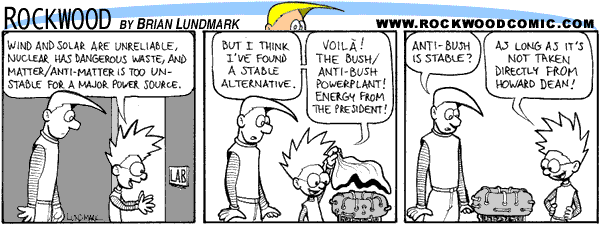
They’re not. According to the Wikipedia , it’s pronounced as Meem and it’s a term that refers to self propagating knowledge that is passed down from generation to generation. For instance, the tune “All around the mulberry bush”, a song about spinning yarn is a meme. How Continue reading Bad etiquette! What have I gotten myself into?

Maybe my readers can help me out…

I posted this over on the WP-Hackers list, but maybe I can get some help from my own readers… (Thanks btw It’s nice to see that, after only three short months, I already have a number of regular readers. I hope my posts have helped!)

I think you all would be the ones to answer this, even if I posted it there.
Besides, perhaps there is something /deep/ in the WP code that is
specifically blocking this action… Though I don’t see how it would even
get into WP’s realm of influence (this should be all Apache), /something/ is
happening. I’ve provided screen shots as proof of my statements.
Continue reading Maybe my readers can help me out…

Building a computer case front panel audio (FPA) connector

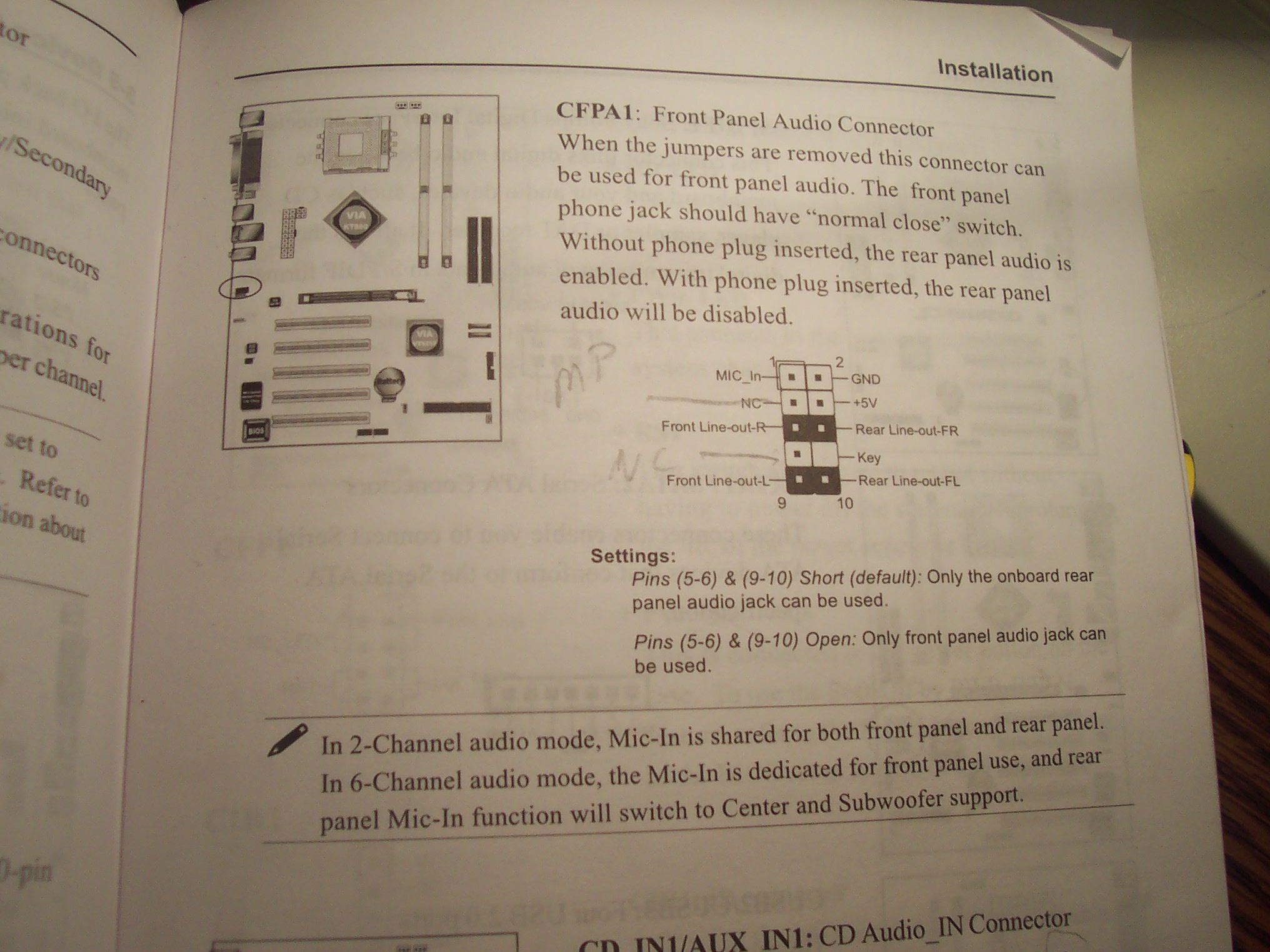
I recently upgraded my mother board to one that included a connector for Front Panel Audio.
Here’s what’s shown in the manual:

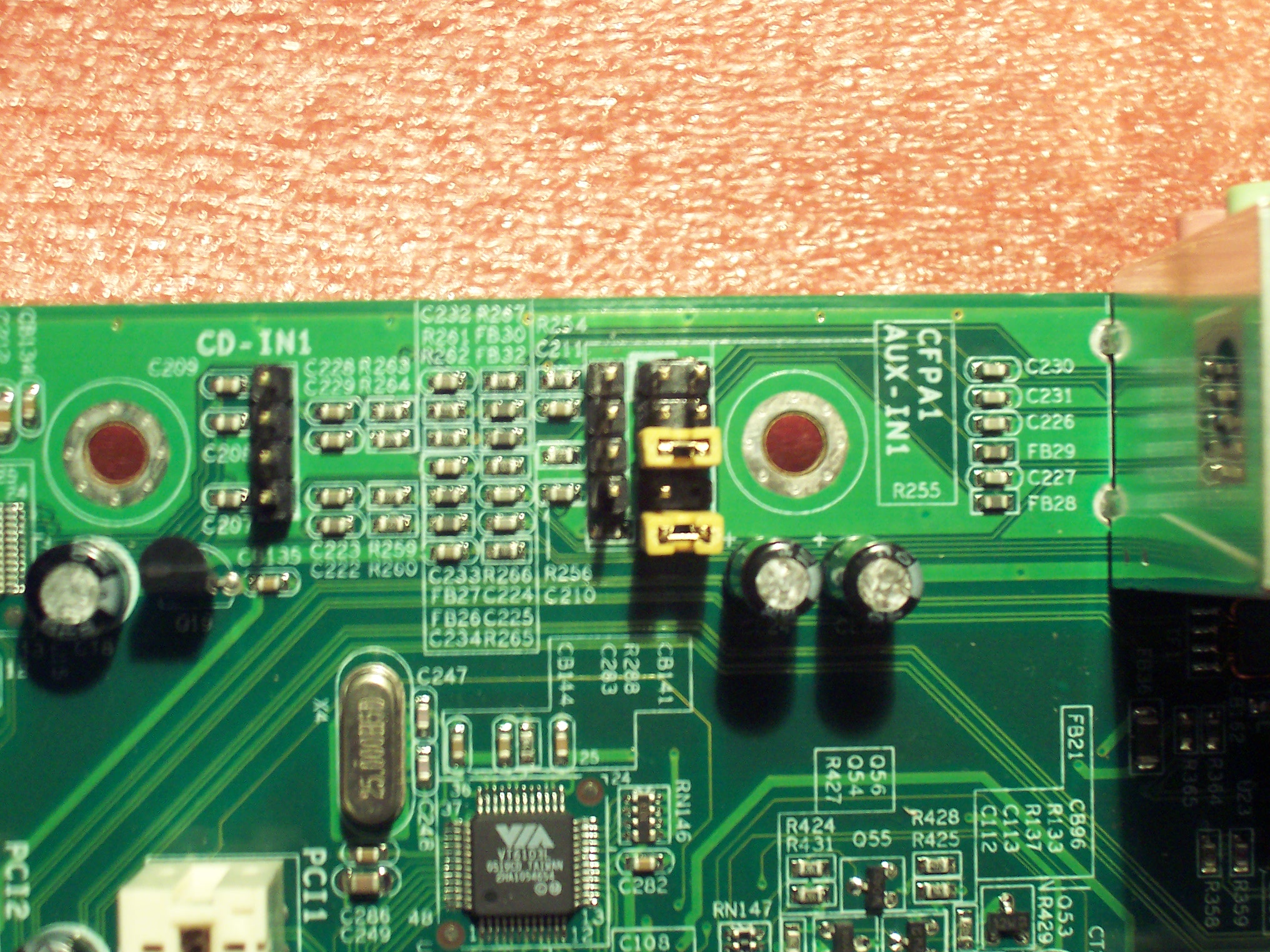
Which luckily matched up nicely with what I saw on the motherboard:

I’ve decided that these front panel audio connectors are fairly standard. AND I think my manual has the FPA jack a little mislabeled.

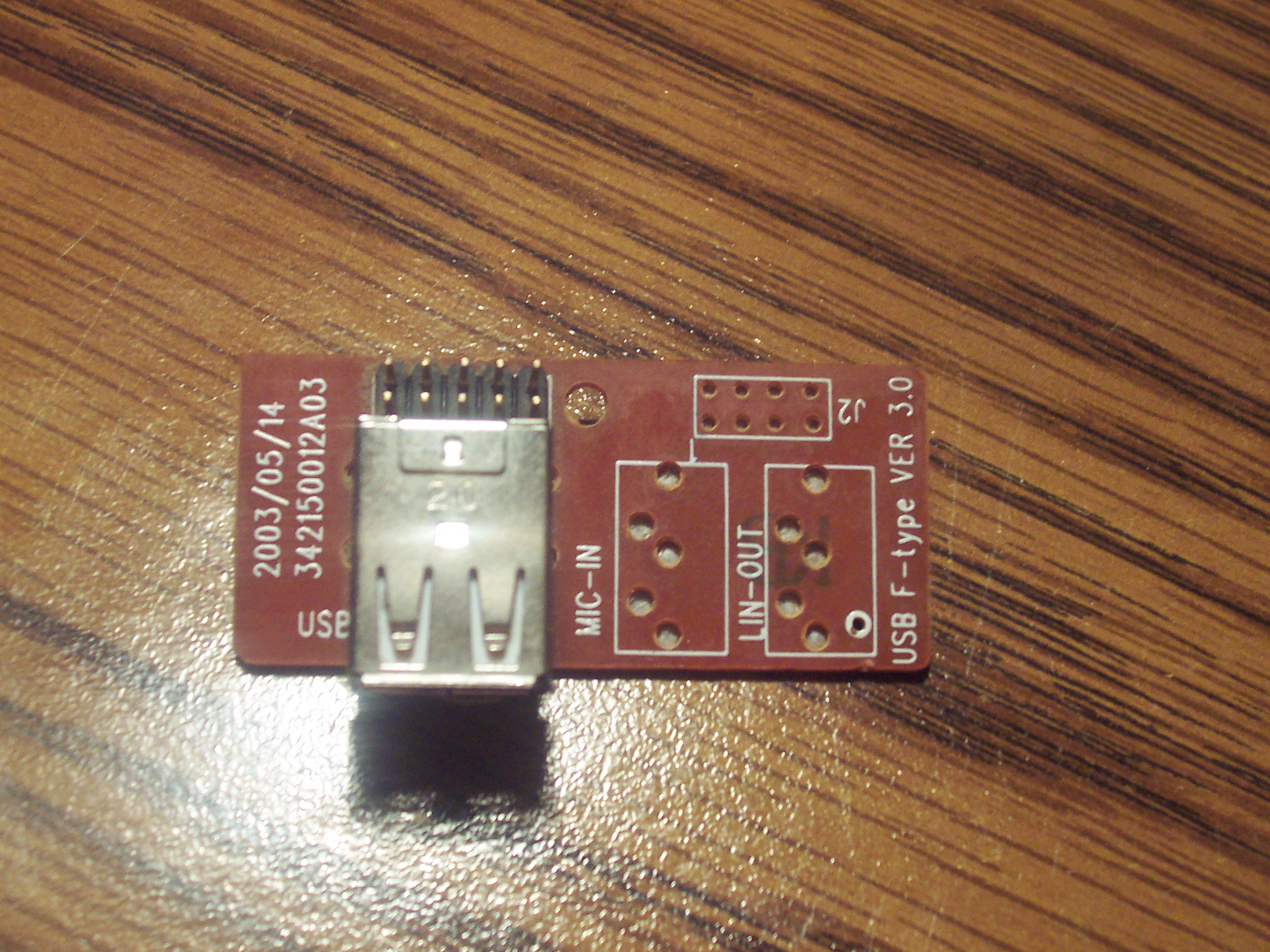
My old motherboard did not support this. And in my case (Ha!), the case didn’t either. Though the case had holes for a stereo jack, the circuitry was missing the appropriate jacks:

Continue reading Building a computer case front panel audio (FPA) connector

How to find bad JPEG files in a directory – via Delphi (Source Code)

UPDATE: Source, EXE and ZIP updated to include new corruption detected routine…

Let’s just dive right into this one…
Here is the exe:
http://www.TheCodeCave.com/downloads/delphi/BadImageFinder.exe

Here is the Zip of the exe, forms and source:
http://www.TheCodeCave.com/downloads/delphi/BadImageFinder.zip

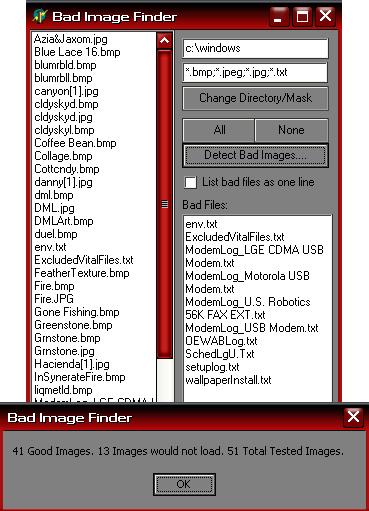
Here’s an image:The main screen

Here is the source for the main BadImageFinder_Main.pas file… (Hope this helps!)
Continue reading How to find bad JPEG files in a directory – via Delphi (Source Code)

Impressions of the Developer Studio 2006 World Tour
1. Abstract

The Borland Developer Tools Group is doing a world wide tour to demonstrate the usability and productivity of the Borland Developer Studio. They are also trying to send a clear message to their devoted developers that the Delphi divestment doesn’t denote Dooms Day.

2. Overview

I attended the May 31, 2006, Columbus, Ohio event hosted by Anders Ohlsson. Anders’ official title, with Borland, is Staff Engineer. But it’s worse than that. He’s really in marketing.
Despite that, he’s congenial, intelligent and knows his stuff fairly well.

During the presentation he fielded many questions from the the audience. One thing that surpised me was the standard response to questions that he could not answer. He didn’t say contact support or even look at the FAQ on our website. Consistenly he said “Go to the blogs.”. I even doodled that in big bold letters across the top of one of my pages of notes. Go to the Blogs” was the response to questions ranging from specific code upgrade issues to queries like “What’s the latest dirt on Dev Co?”.

BTW, the most important place to look for answers is the blog of Borland’s Chief scientist Allen Bauer, “The Oracle of Delphi”. He’s who has most freely discussed matters regarding the spin off of the developer tools. NOTE: Anders’ wording and hesitation in that sentence led me to believe Bauer had been a bit more liberal with discussing the matter than he had been been authorized to OR perhaps that the tighter leash on everyone else was chaffing a bit.. It was clear that there was definitely a list of items that could (and likewise could not) be discussed by Borland employees.

Continue reading Impressions of the Developer Studio 2006 World Tour